Got a pitch?
Players book the hour in the app and pay online. You see it all in one panel: bookings from the app and by phone, deposits, who said they'll pay cash, the game bill and the till.
- commission
- 5%
- first two months
- 0%
- to payout
- 12 h
Player in the app, cashier on the tablet.
Both read from the same schedule. A booking made in the app shows on the tablet within 5 seconds, and a booking taken by phone closes that hour in the app at once. No hour is sold twice.
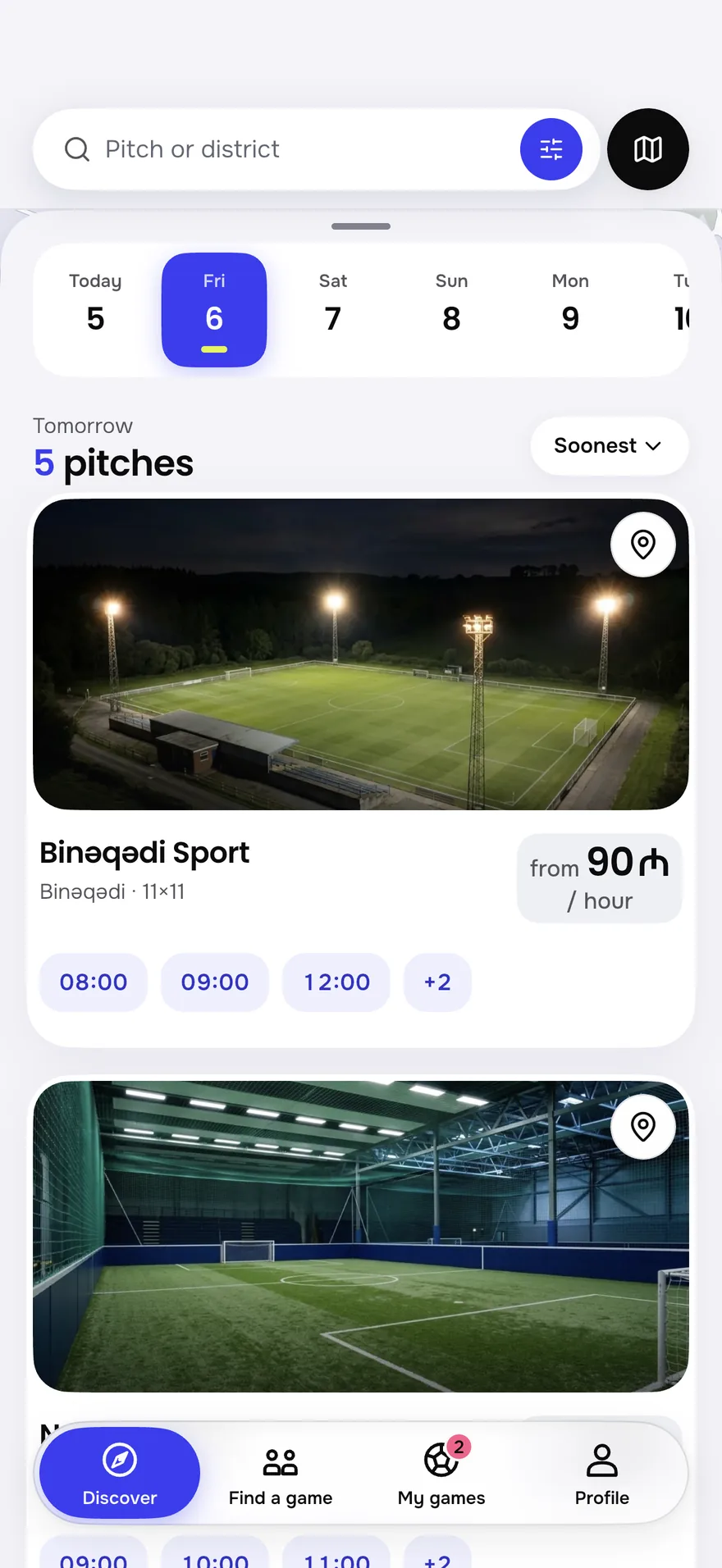
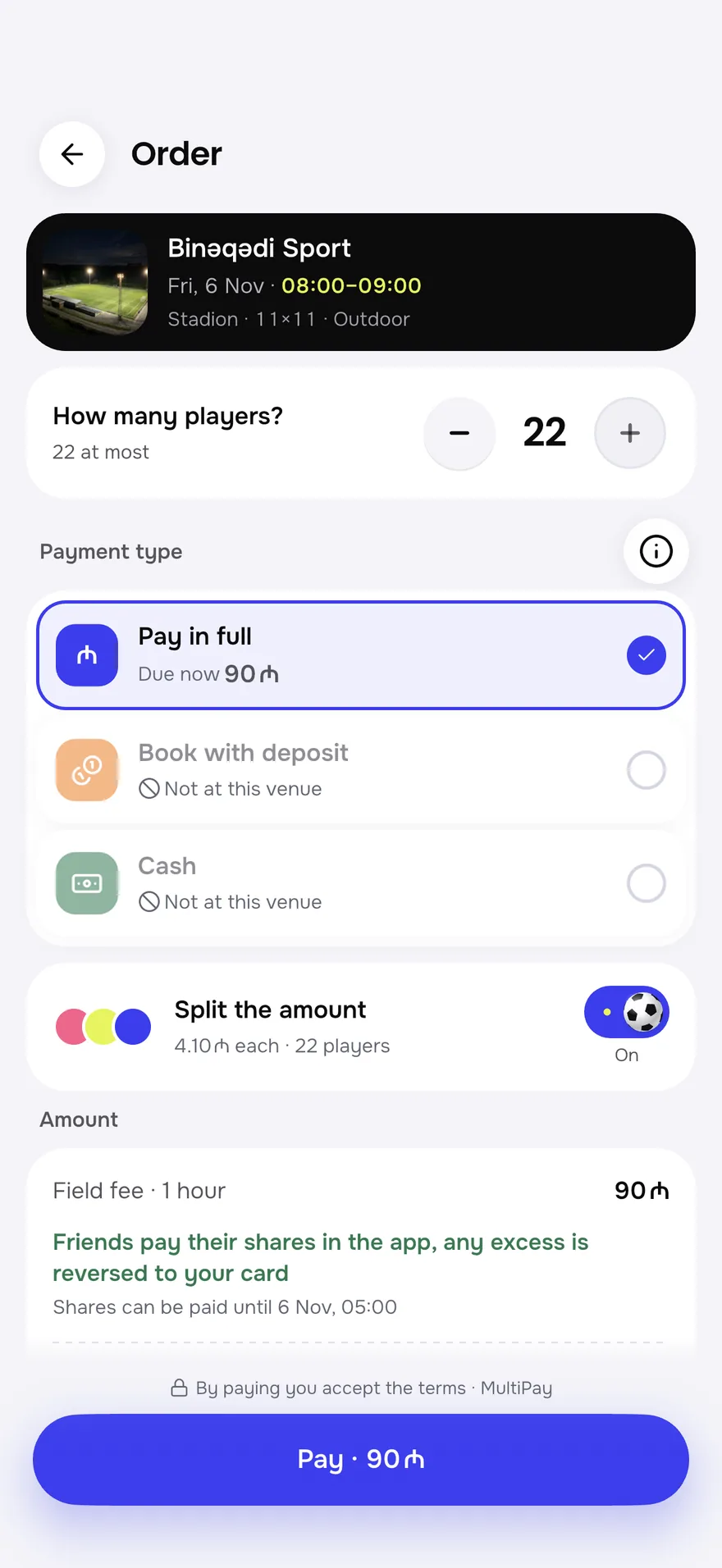
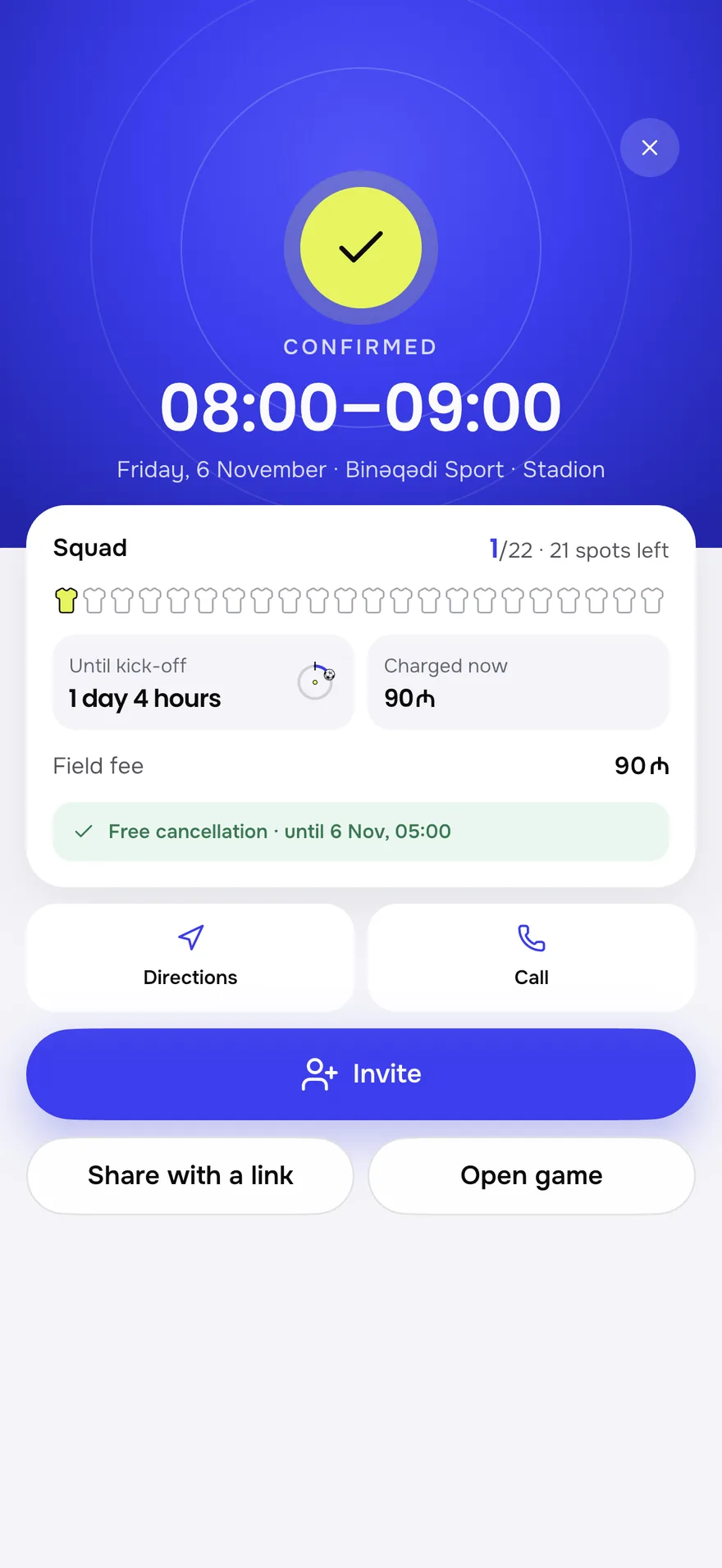

Money up front, prices on your terms.
The player picks the payment type when booking. You decide which types are open, the deposit percentage and the price of every hour.
The player pays the whole pitch fee in the app. Nothing to wait for at the till.
You set the percentage, usually 30%. The online part comes in a payout, and you take the rest at the pitch.
Shows only if you say you accept cash. Only the booking fee comes online, and after the game you mark “received” or “not received”.
Weekday × hour
Its own price for every day and time range. The app shows the player that hour's price. Tap a cell.
| 10:00 | 12:00 | 14:00 | 16:00 | 18:00 | 20:00 | 22:00 | |
|---|---|---|---|---|---|---|---|
| Mon | |||||||
| Tue | |||||||
| Wed | |||||||
| Thu | |||||||
| Fri | |||||||
| Sat | |||||||
| Sun |
Payout
- 1The game ends
- 212-hour review period
- 3In your account the next business day
- Commission 5%
- 300 ₼
- Paid to you
- 5 700 ₼
This is an example. Cash and the deposit balance taken at the pitch go to your till and are not part of the payout.
From call to till.
An evening at the pitch comes down to three jobs: enter the booking, collect the game bill, close the till. The panel puts each one on a single screen.
The phone rings. The cashier enters the booking in four taps: pitch, hour, team, payment. The hour is taken in the app right away.
Every game has a bill like a restaurant receipt: total, paid, due. Water, shoes, extra time go on with one tap. Take the money all at once, split, or by picking lines.
Every cash and card payment is logged to the open shift. At the end of the shift the panel works out how much cash should be in the till. The cashier counts, and any difference shows at once.
Look inside the panel.
The panel's main screens. Tap the markers: each one says what a number or a button does.
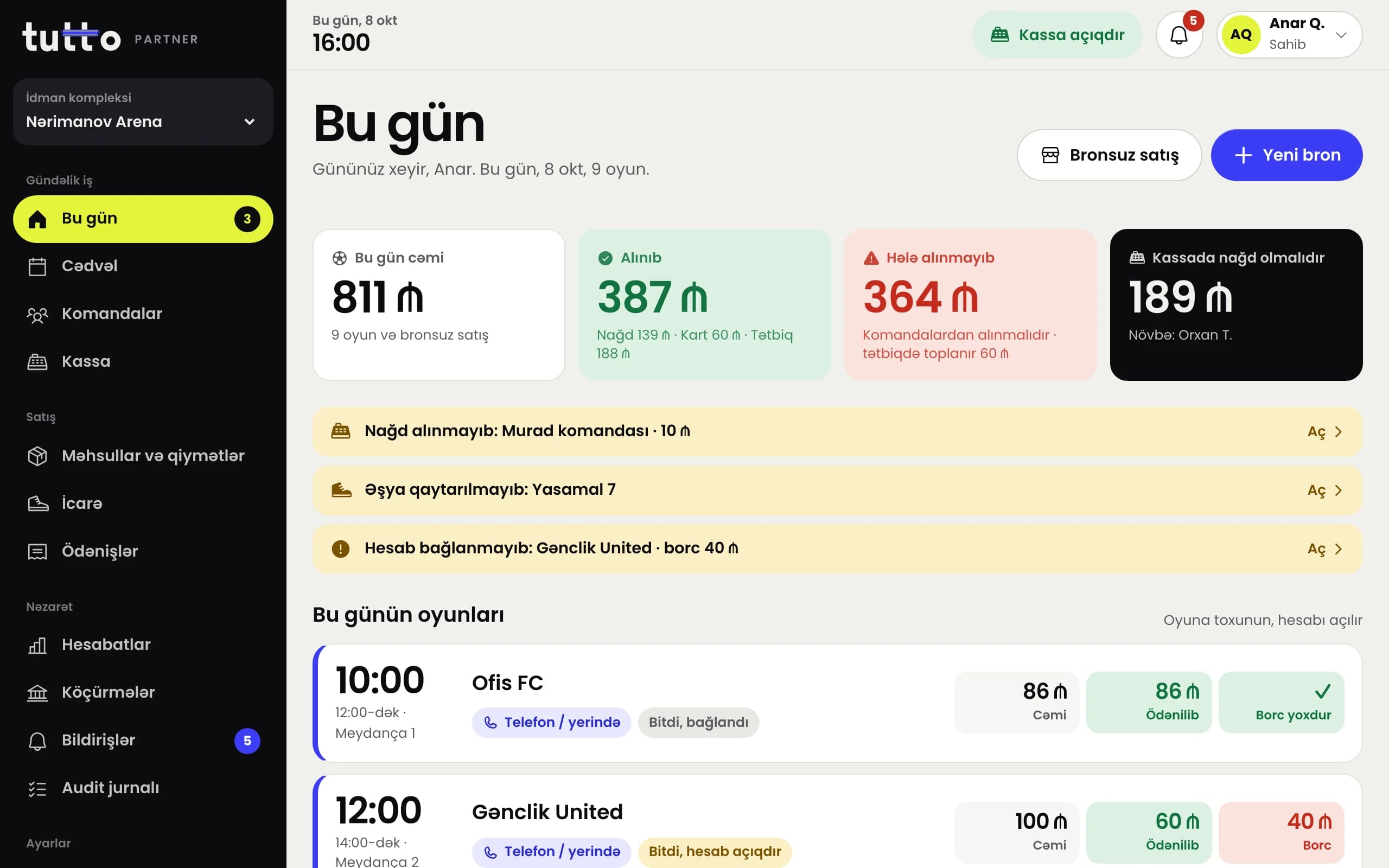
The owner, manager and cashier each sign in with their own role. Discounts, till differences and payouts are open only to the manager and the owner.
What owners ask first.
What is the commission charged on?
Only on the amount a player pays online in the app: 5%. For the first two months after you join, no commission is charged. Bookings you enter in the panel yourself and cash you take at the pitch go to your till.
When do online payments reach my account?
After the game ends there is a 12-hour review period. Then the money, minus commission, is paid out on the next business day. The bookings inside each payout show in the panel's reports.
Who decides on deposits and cash?
You do. You turn the deposit on and set its percentage, usually 30%. If you accept cash, a player can pick “Cash” when booking: they pay only the booking fee online and hand you the rest at the pitch.
What happens if a player cancels?
If they cancel more than three hours before the game, the money goes back to them minus the booking fee. With less than three hours to go, it doesn't. You set the booking fee, and it can be zero.
How do I enter bookings that come by phone?
Tap a free hour in the panel's schedule and enter the booking. That hour shows as taken in the app right away, so the same hour is never sold twice.
What about teams that want the same hour every week?
Recurring booking requests are on the way: a team will send a request for 4, 8 or 12 weeks, and you will accept or decline it within 24 hours. For now, you enter these bookings in the panel yourself.
Open the till.Let the game begin.
Add your venue: set up the schedule, prices and payment types. Let the first booking come from the app.